Performance filters enable users to shortlist top or bottom performers for a particular category
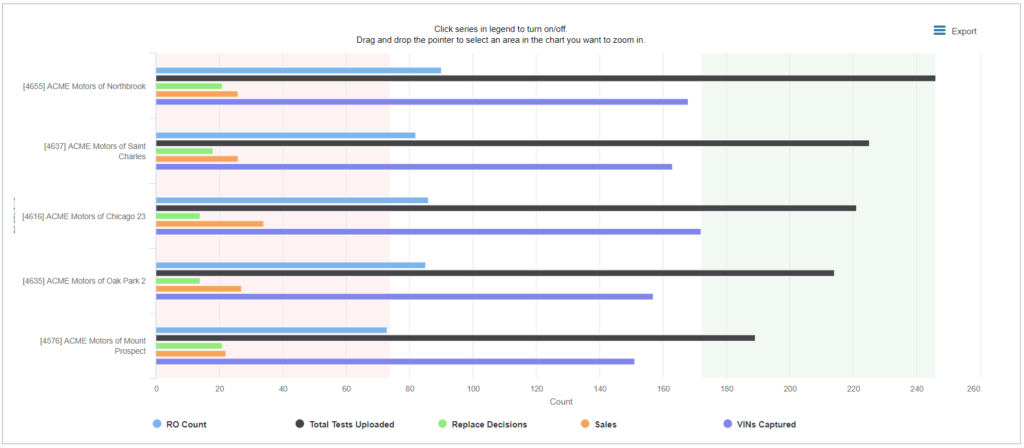
e.g. In the example below report, when user selects “Testing {n} Top Performers” in the Performance Level filter and 20 in the Performance Quantity Filter, the report will shortlist the top 20 locations based on their testing rate (RO%)
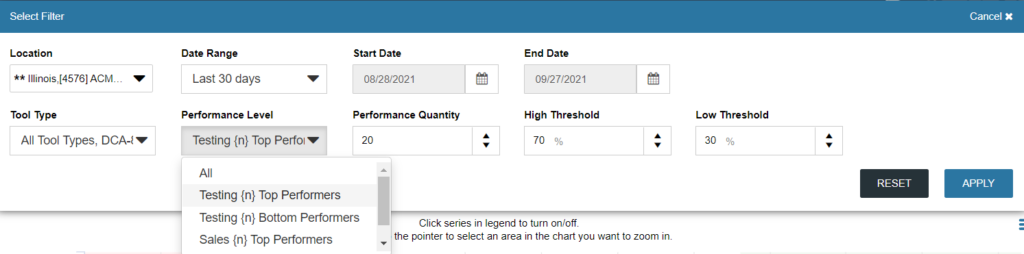
High and Low Thresholds are used in the graph view of the report as a point of reference.
E.g. High threshold of 70% creates a green shaded area which highlights locations/ dates which were within 70% of the maximum test count and Low Threshold of 30 % creates a red shaded area which represents low testing locations or dates which tested less than 30% of the max tests for the selected sample.